


Your Health Trio Connect portal allows you to manage your health plan online. Follow the steps...
This is a step-by-step guide on how to use our group quote tool:
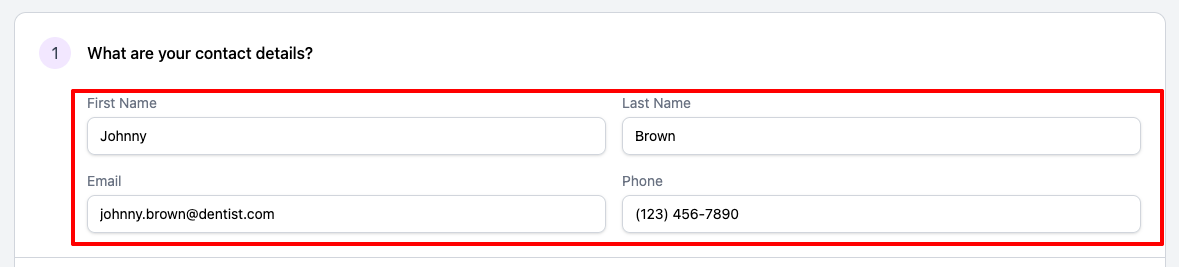
Start by filling in your contact information
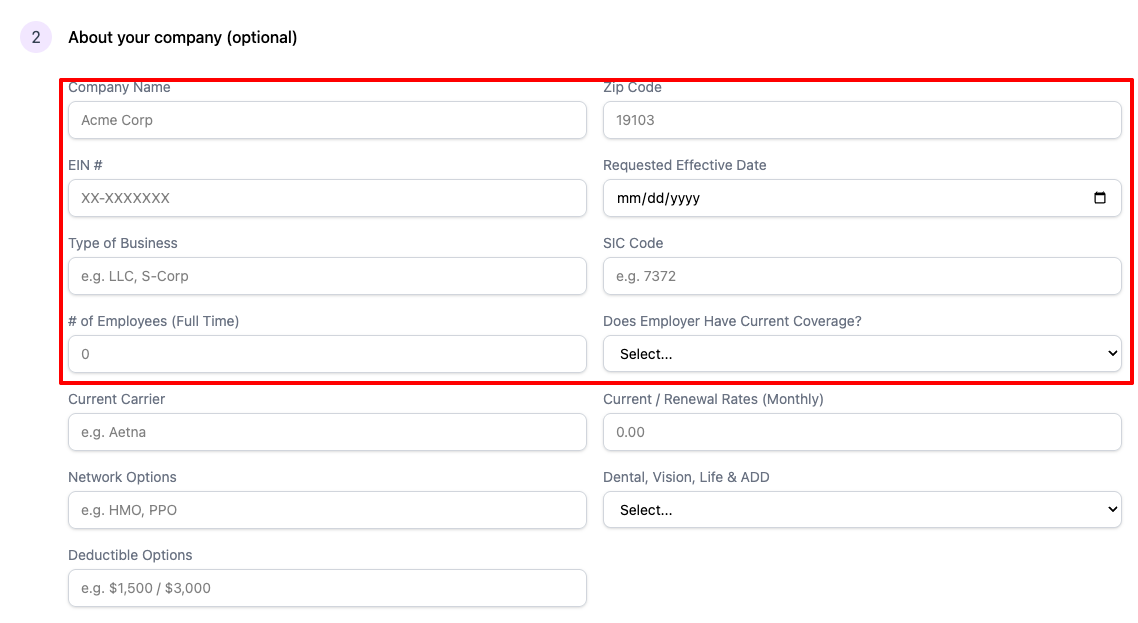
Fill out about your business section (optional)
Fill out information about your business for more accurate quotes.
Fill in your employee information
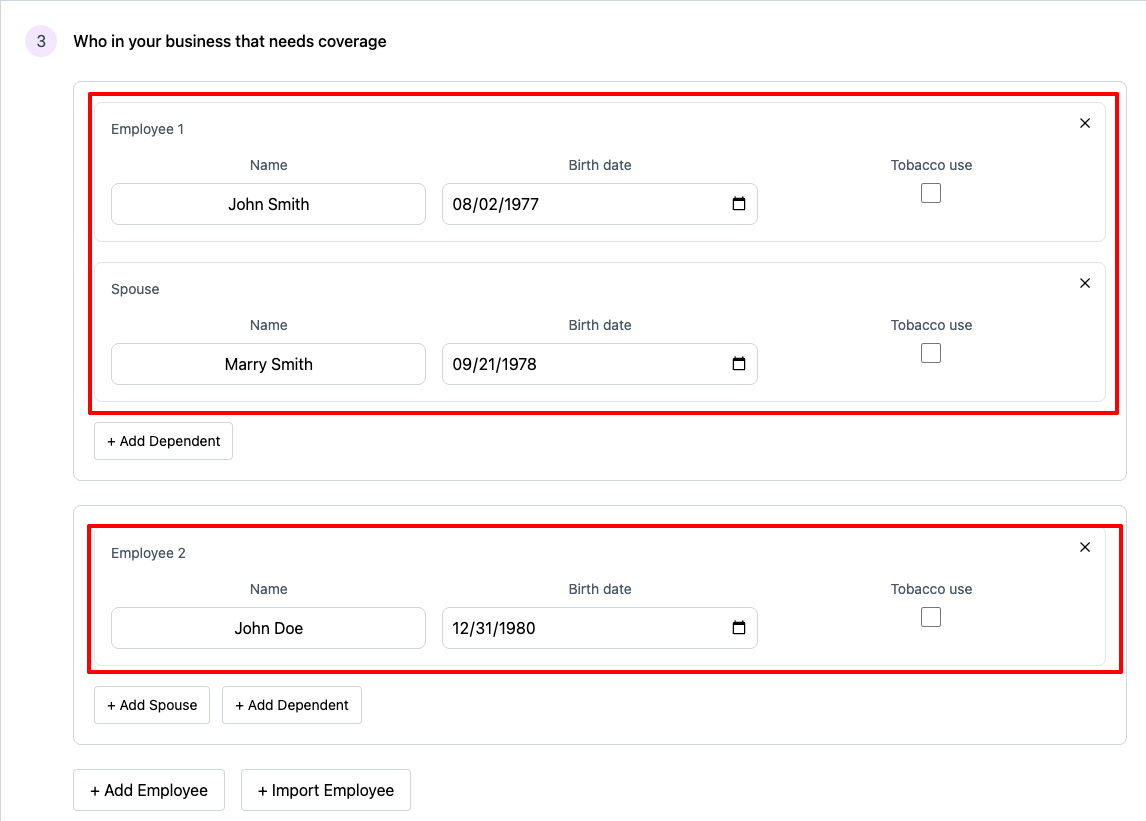
Have many employees? Use our import feature
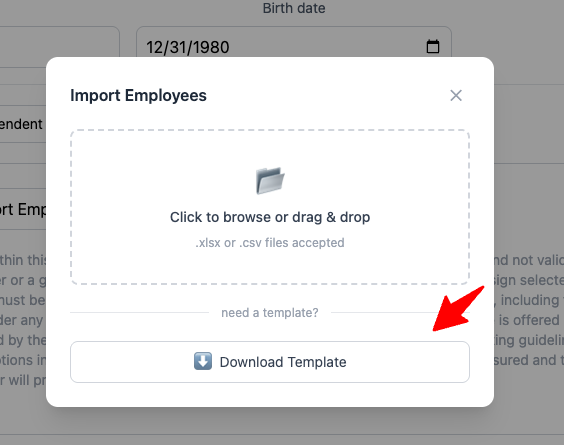
Click on Download Template, fill in the information on the excel sheet, upload the template file and all your employees will be imported.
Browsing plans
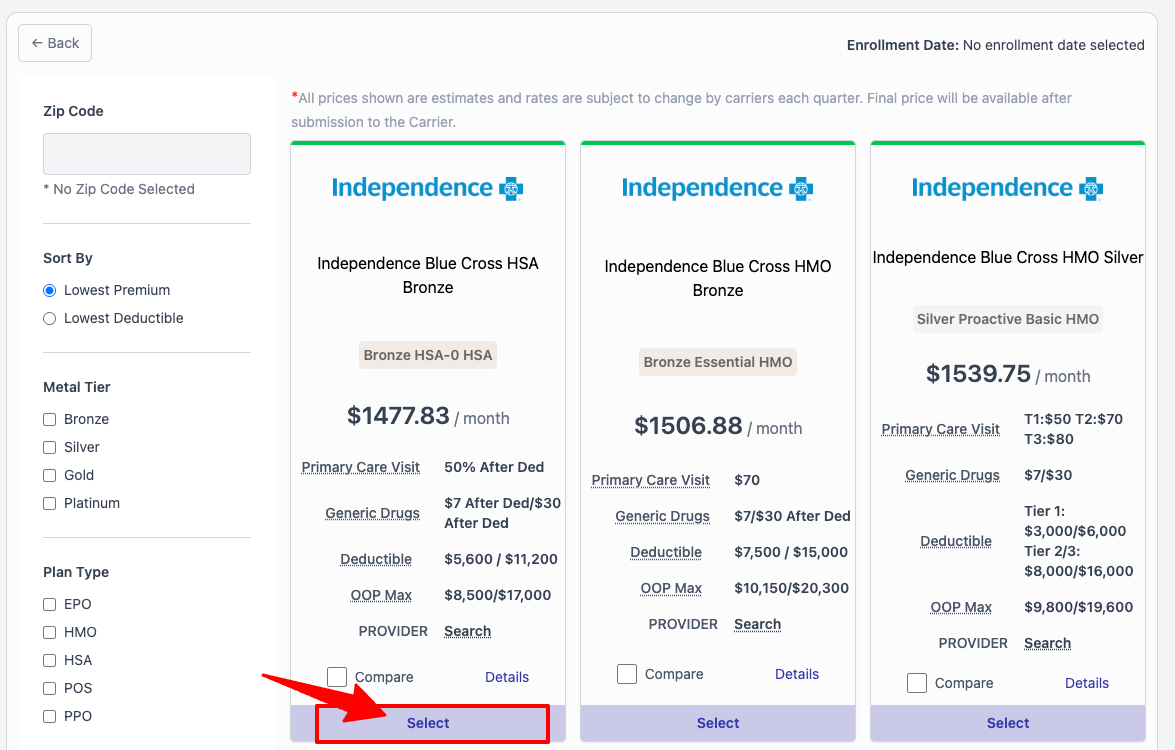
Start viewing plans by click on the "Select" button
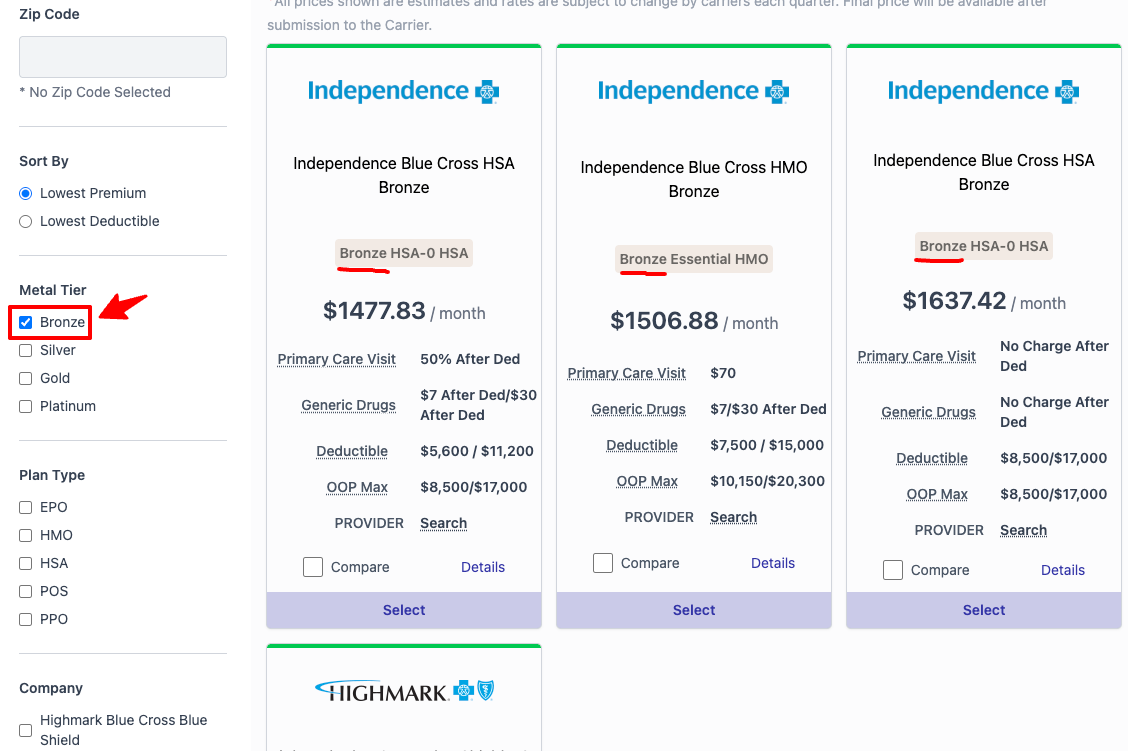
Filter Plans
You can also filter plans by click on the available filters on the left filter sidebar
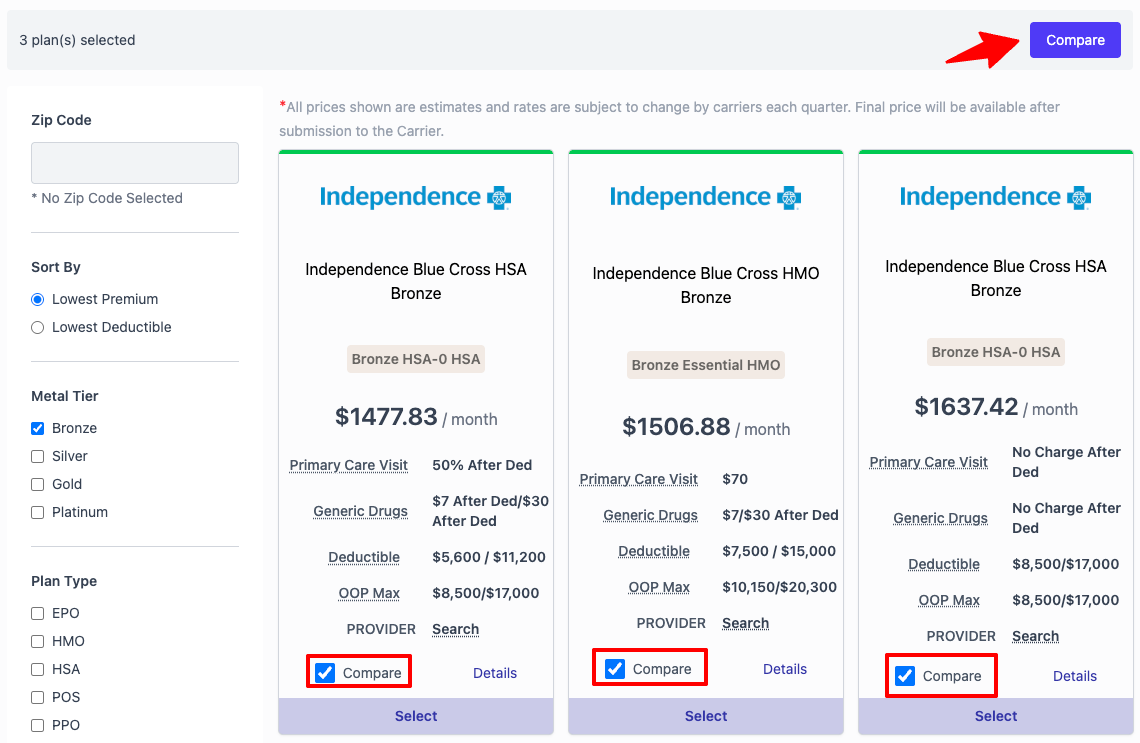
Plan comparison
You can select up to 3 plans to compare. Start by click on the "Compare" checkbox. Then click on the "Compare button" to compare your selected plans.
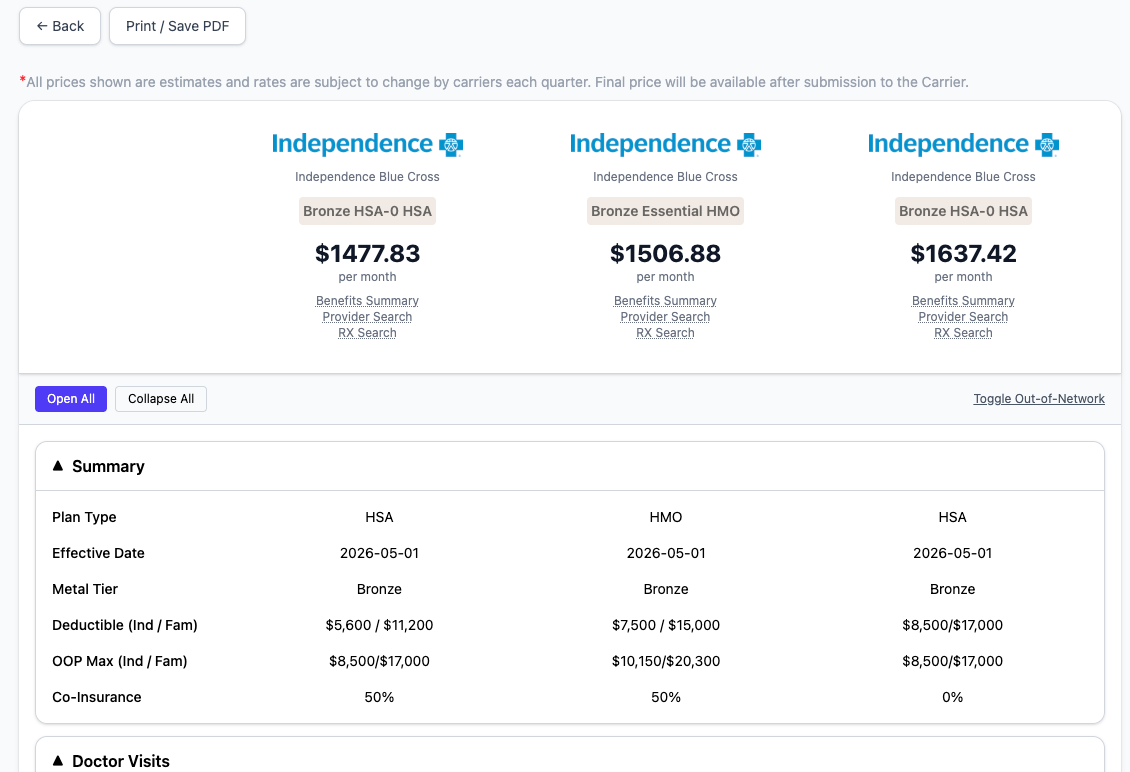
Breakdown of plans
Each plan will be broken down by what the plan offers.
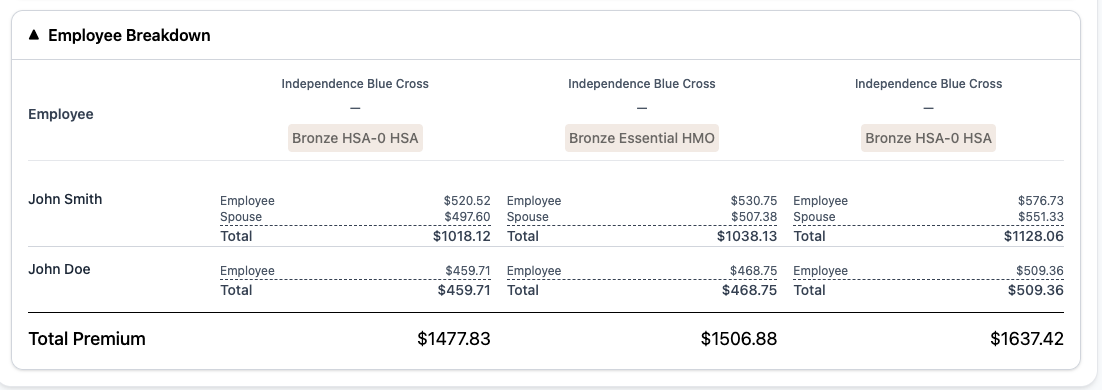
You can also view the premium cost for each employee
Saving and sharing plans
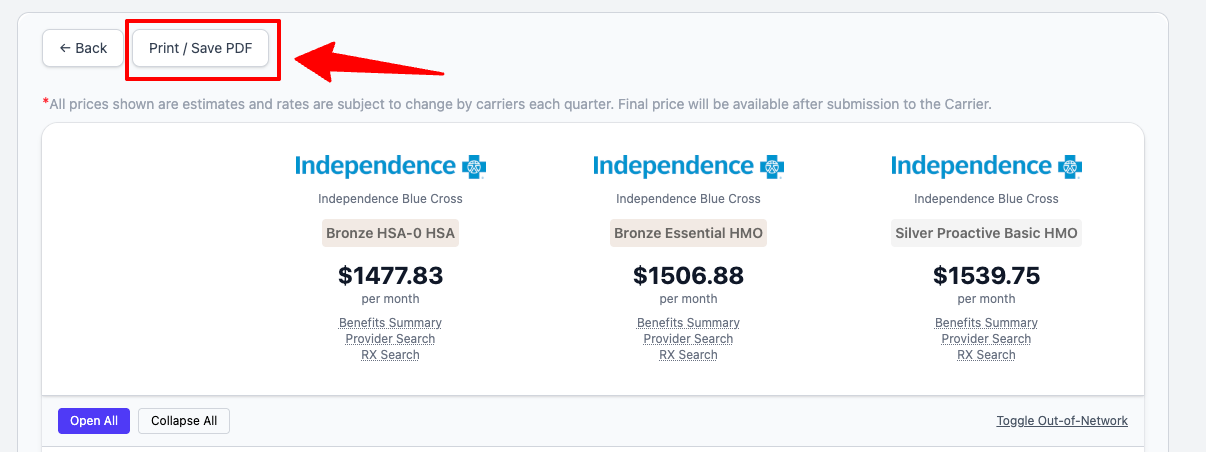
You can save and share the selected plans with your employees or employer by sharing the url or by click on "Print / Save PDF" button.
Copy the url in your browser and share it.